Find Out How

Adding Flex Recording Capability
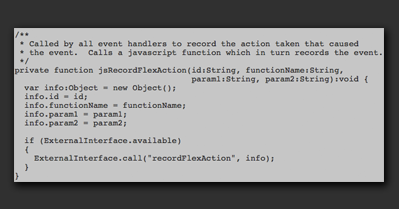
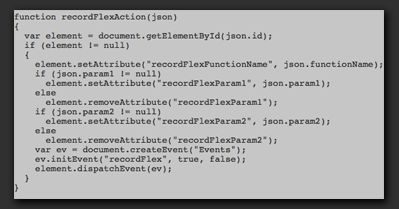
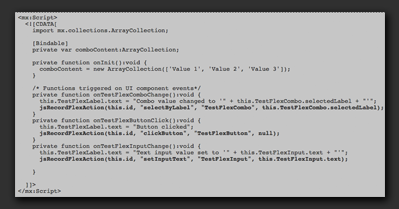
To enable recording through SOASTA's browser recorder extension, a record function is added to each event handler or component function that corresponds to an action in the test. For this example, we will record changes to the comboBox, clicks on the button, and changes to the text input. |
|
|
|
|
|
|
|
|
When you do so, the SOASTA recorder extension will record flexActions when the user changes the comboBox value, click the button or types text into the text input.
You can review the testAPI.as code or download the entire archive, including the compiled .SWF file. |
|