Find Out How

Adding a Validation to a Browser Action
|
Prerequisites Editing a browser action. |
|
|
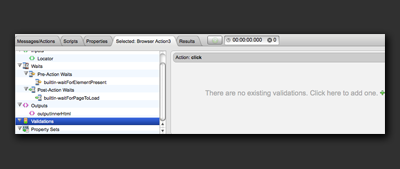
Adding a Validation to a Browser Action requires the following steps: In the Browser Action Editor, click Validations in the left-hand pane of the Editor. |
 |
|
Click the + button either in the workspace or in the toolbar. |
 |
|
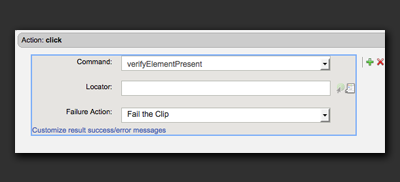
A new validation will appear in the workspace. |
 |
|
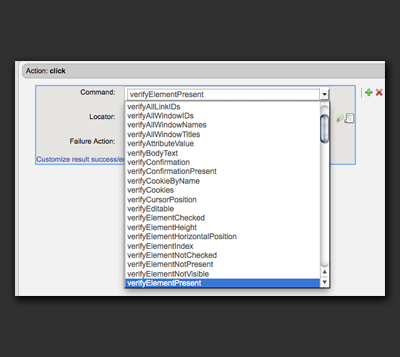
Choose a command from the command drop-down menu to describe the validation. In this example, we will add a validation to verify that an element is present on the page. |
 |
|
Some validation commands have parameters. The verifyElementPresent command has a Locator parameter. The parameters will appear beneath the command option when the command is selected. |
 |
|
Type in a value for the Locator, such as the id of the element, or use the Locator Tool to select an element in the web page. |
 |
|
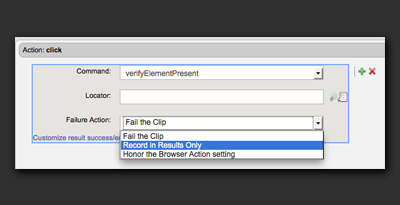
All validations have a Failure Action option.
|
 |