Find Out How

Installing the Browser Recorder Extension
|
Prerequisites The Browser Recorder requires using the Firefox Browser |
|
|
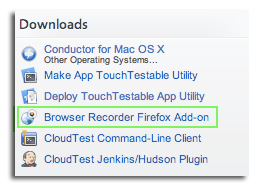
Installing the Browser Recorder Extension involves the following steps:
|
|
|
|
|
|
You will see the following warning in your Firefox Browser |
|
|
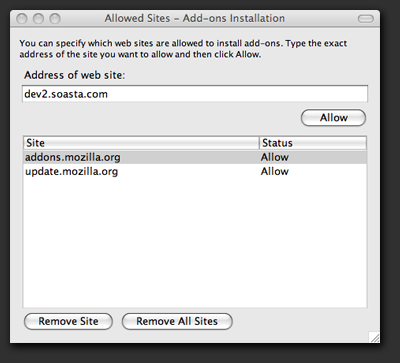
Click the Edit Options button The Allowed Sites – Add-ons Installation screen will be displayed. It gives you a drop down menu to specify which Web sites you want to install as add-ons. Choose the appropriate Web site (addons.mozilla.org in this case), and click the Allow button. |
|
|
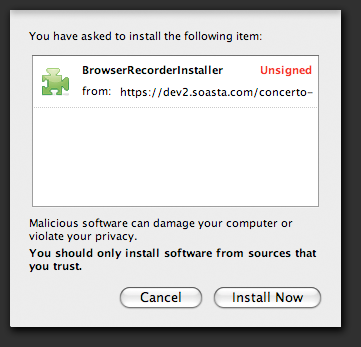
A drop-down menu will appear confirming your installation choice. Click the Install Now button. |
|
|
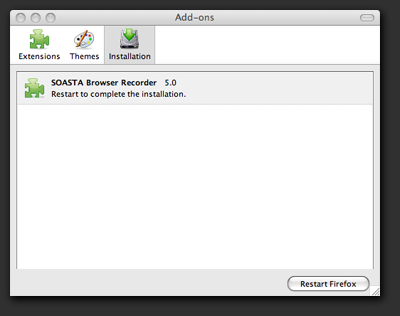
The Add-ons screen will be displayed. Click the Restart Firefox button. Firefox will close and reopen with the Browser Recorder Extension installed. |
|