Find Out How

Validations
|
Validations are the technique used to verify that a test event occurs as expected. For example, text on a web site landing page after login. Browser action validations range from simple true/false conditions such as Browser action validations consist of the selected command, the parameters of the selected command, a failure action, and optional log messages.
|
|
Command and parametersIn this example, Locator is the only parameter of the selected command, |
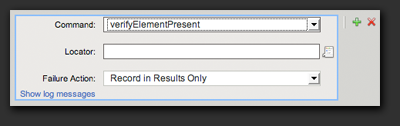 |
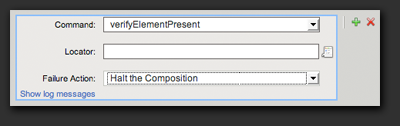
Failure ActionThe failure action is where we specify what to do when the validation condition is not met. In this example, when the specified element is not present on the page, we’ve specified to record the error in the Result object and continue running the test. Choose Halt the Composition from the drop down menu in order to stop the test when the condition is not met. |
 |
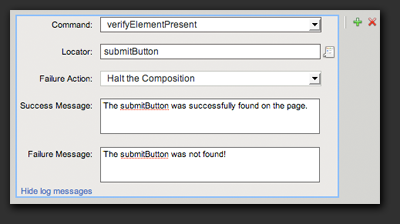
Log MessagesThe log messages are where we specify custom messages to show in the Results Viewer when the validation passes or fails. Click the Show Log Messages link to expose and edit the success and failure messages. |
 |
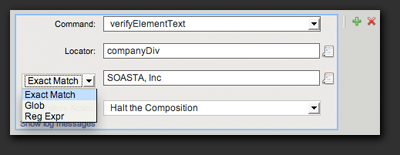
Pattern matchingMany validations compare text with some text on the page, in order to determine if the page is correct. The comparison text can be an exact match of the expected text, a glob expression, or a regular expression.
A glob is a limited regular-expression pattern. In a glob pattern, * represents any sequence of characters, and ? represents any single character.
The full power of JavaScript regular-expressions is available. |
 |