Find Out How

Waits
|
Waits are commands that tell SOASTA Conductor not to execute a browser action until a condition is met (pre-action waits), or to not continue processing the outputs, validations and property sets of the browser action until a condition is met (post-action waits). |
|
Built-in waitsSome browser actions have built-in pre-action or post-action waits. For example, a click action that clicks on a button in a Web page has a built-in pre-action wait to wait for the button to be present before it can be clicked upon. |
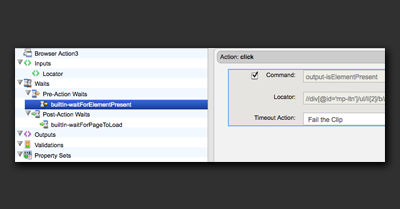 |
|
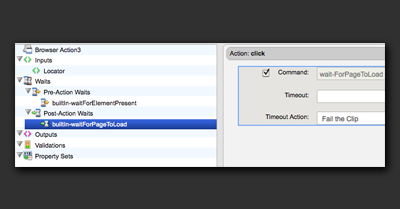
A refresh action has a built-in waitForPageToLoad that waits for the browser to finish reloading the page before continuing on to the next action. |
 |
|
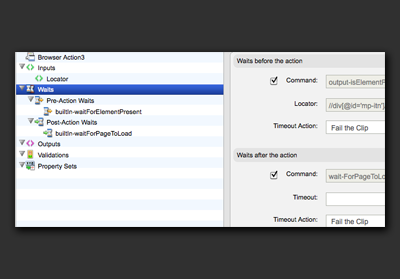
A click action that clicks on a link in a Web page has both a built-in pre-action and a built-in post-action wait. The pre-action wait waits for the link to be present and the post-action wait waits for the new page to load. |
 |
|
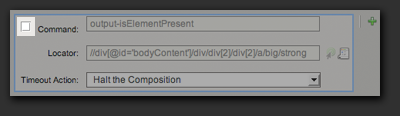
Built-in pre- and post-action waits can be disabled, but they cannot be removed or changed. To disable a pre-action wait, uncheck the checkbox located next to the Command field. |
 |
|
The amount of time that SOASTA Conductor will wait for the condition to be met is the Timeout value and it is entered in milliseconds. The default timeout value to use for all waits is specified in the target and has a default value of 60 seconds. Some wait commands such as the waitForPageToLoad allow you to override the default timeout in the Browser Action editor. This allows us to set performance criteria for a test. In this example, we write an error to the result if the page takes longer than 20 seconds to load. |
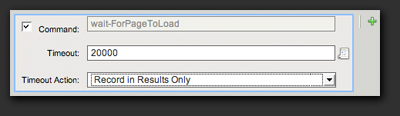 |
|
When the condition of a wait command is not met within the specified timeout period, a timeout occurs. Timeouts are errors in the test. You can choose to cause the test to stop running when a timeout occurs or to simply have the timeout error recorded in the Result, allowing the test to continue. The default action for wait timeouts is to halt the Test Composition. Click the drop-down next to Timeout Action in order to change the selection to Record in Results Only. |
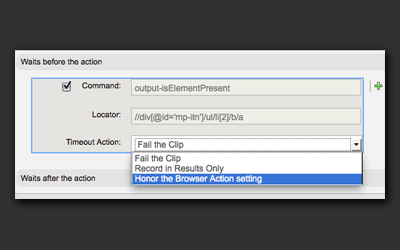 |
User-defined waitsThere are various other waits that a Web page might require that are not covered by the built-in waits. These waits are what allow you to test dynamic asynchronous Web pages. For example, a Web page might show a loading animation while it is accessing a database to collect content that it will soon display on the page. When the content is available, it hides the loading indicator and displays the content. You can add a post-action wait to the command that initiated the database access to wait for the loading indicator to not be visible and then validate that the content is correct. |
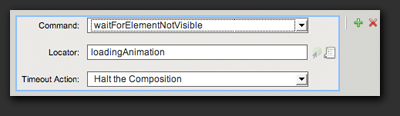 |